Frog Bot
Runs on your computer

Your local AI team.

Frog Bot puts AI teammates on your own computer. Chat with them, put them in a group, and watch them work together. They use your apps, and they always ask before they act for you.

🖥️ Lives on your computer📁 Your files stay local🧠 Memory saved locally🔐 Keys encrypted on your machine
Download Frog Bot
Free · your local AI team for Windows, Mac and Linux

Your local teammates, working together

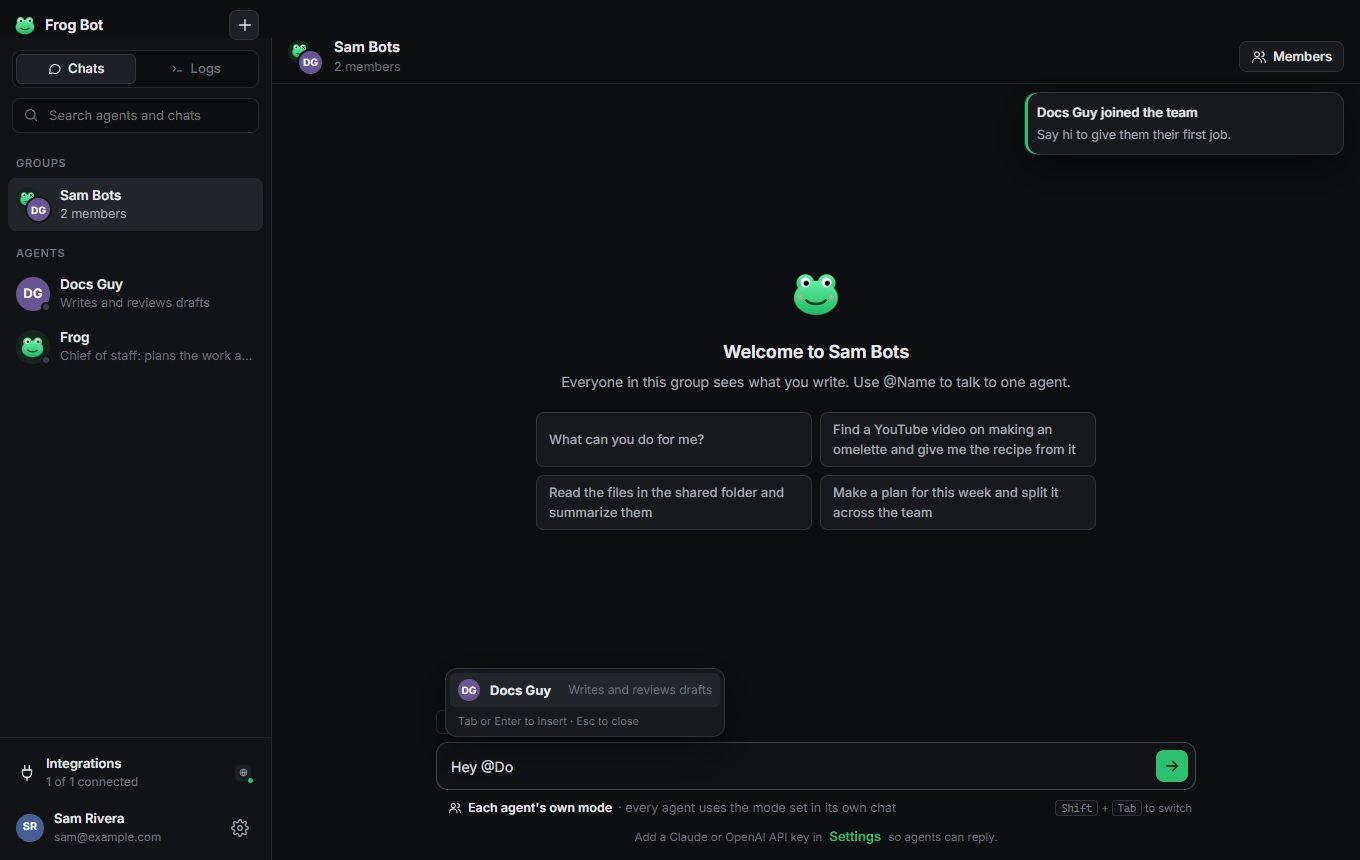
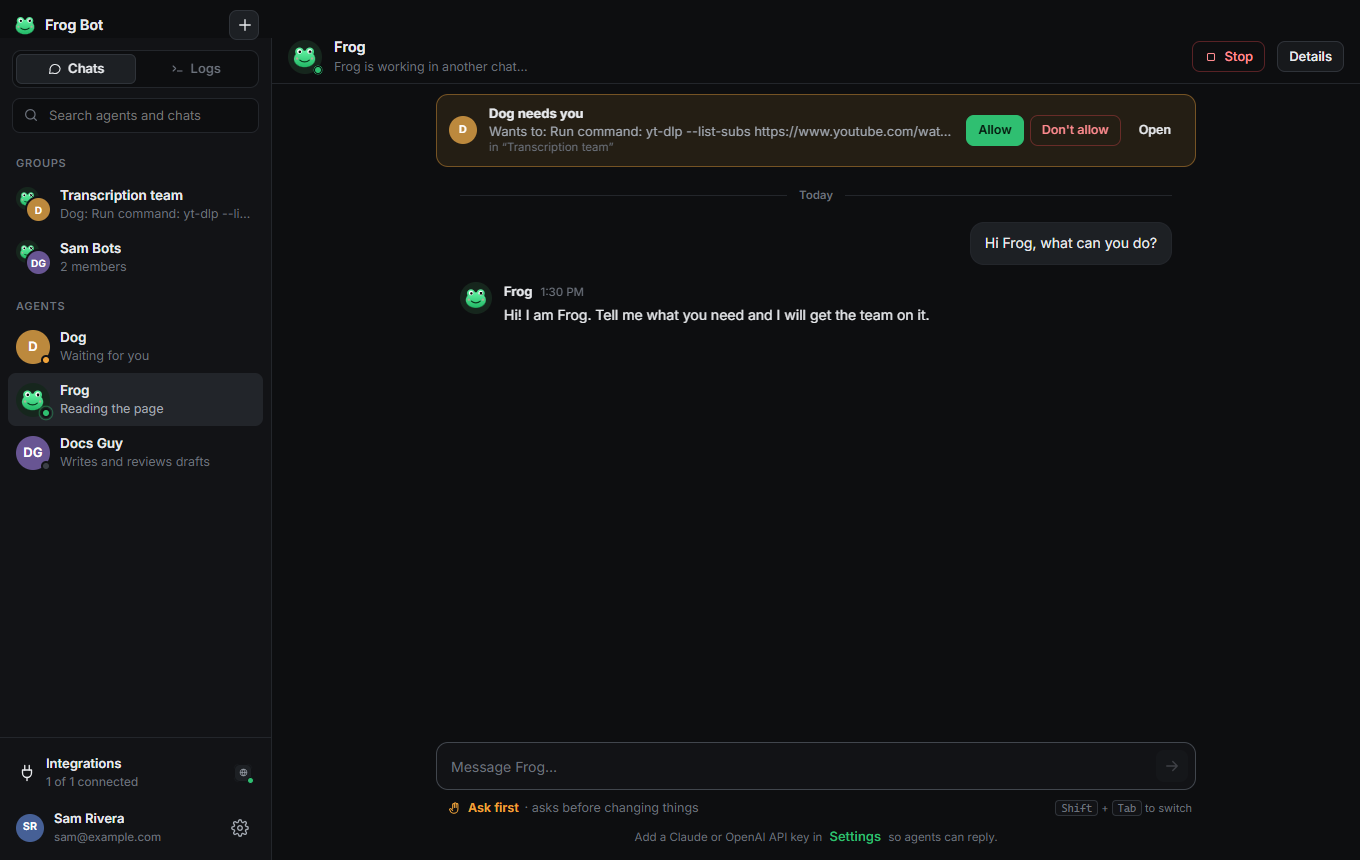
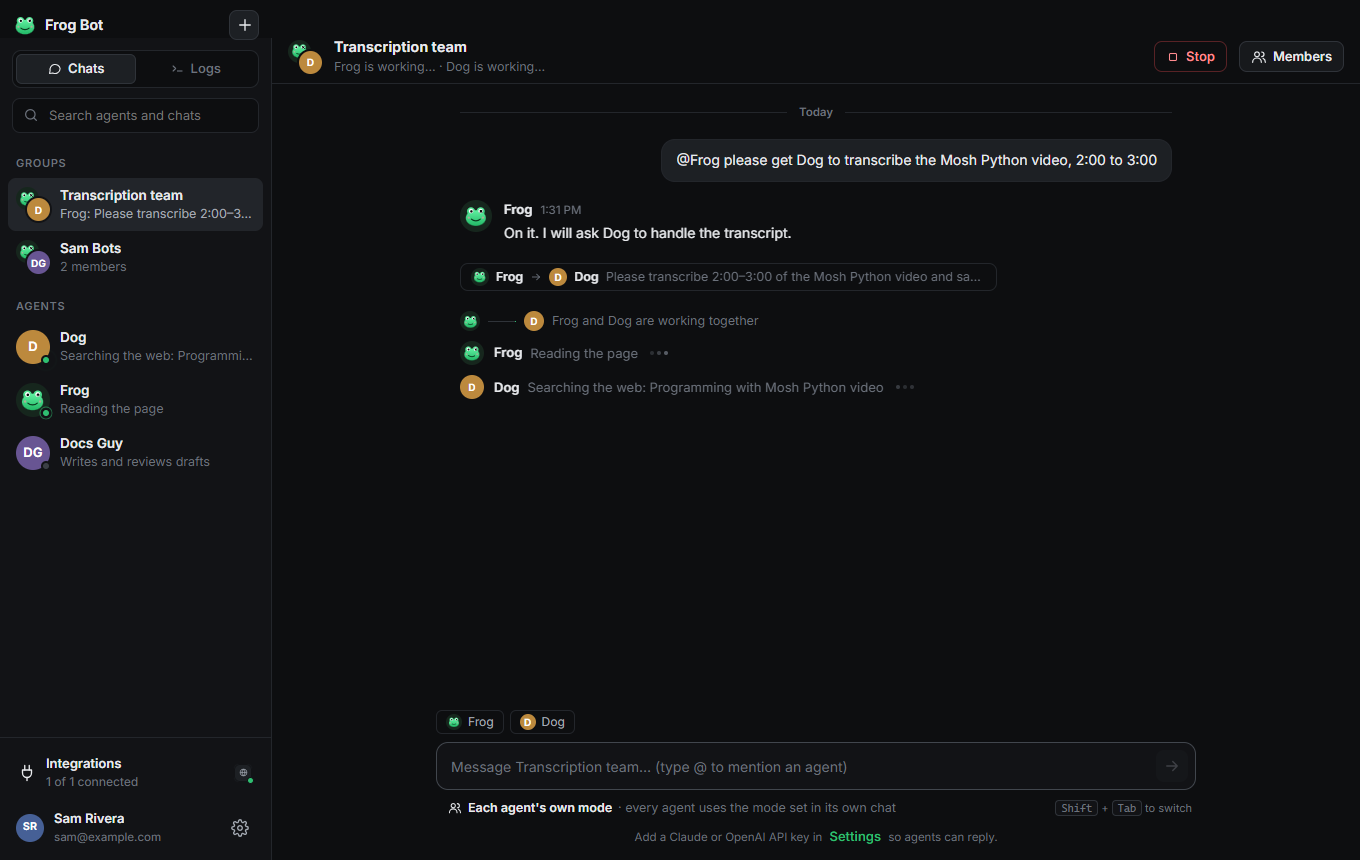
Every agent shows what it is doing, live. When two agents work together, you see the hand-off. When one needs you, a bar tells you exactly what and where.

Two agents working together in a group chat

Videos

A full tour of the app, and a short setup video for each computer.

Simple enough for anyone

Paste one key, and you have a local team.

🐸

Agents with real jobs

Give each agent a name and a job in plain words. Each one has its own memory and its own folder.

👥

They work together

Agents message each other, hand off work, and ask you to add a new teammate when they need one.

⚡

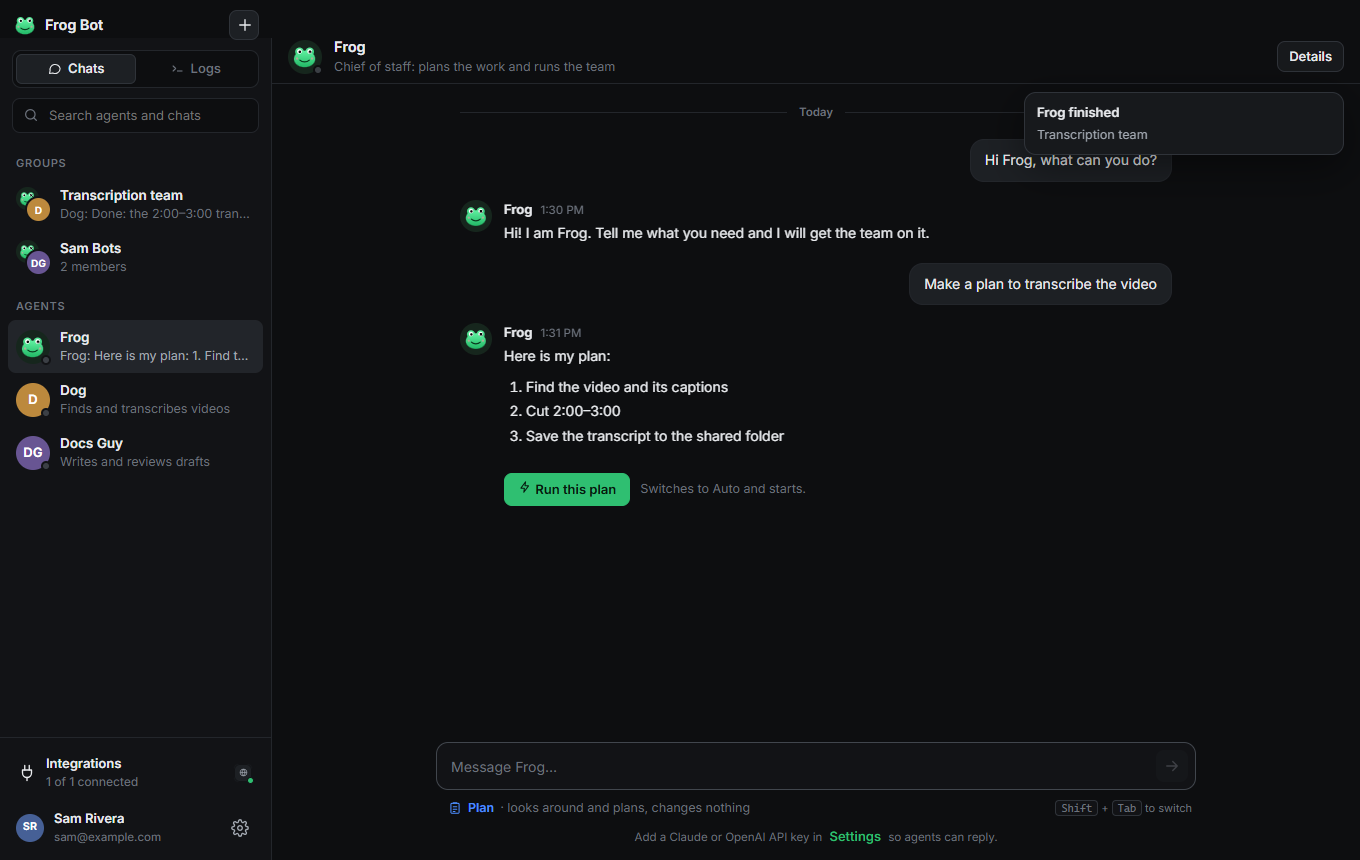
Ask, Auto or Plan

Pick how free they are, per agent or per group. Switch with one click, or Shift+Tab.

🛡️

Nothing sent without you

Posting, sending and deleting always show an Allow / Don't allow card first.

🔌

Uses your apps

Connect Slack, Notion, GitHub, Linear or any MCP app by filling in a few fields.

🌐

Its own browser

Each agent drives its own Chrome window: opens sites, reads pages, fills forms when you allow it.

💸

Saves tokens

App tools load only when needed and old output is trimmed, so you spend less on AI.

🖥️

Local by design

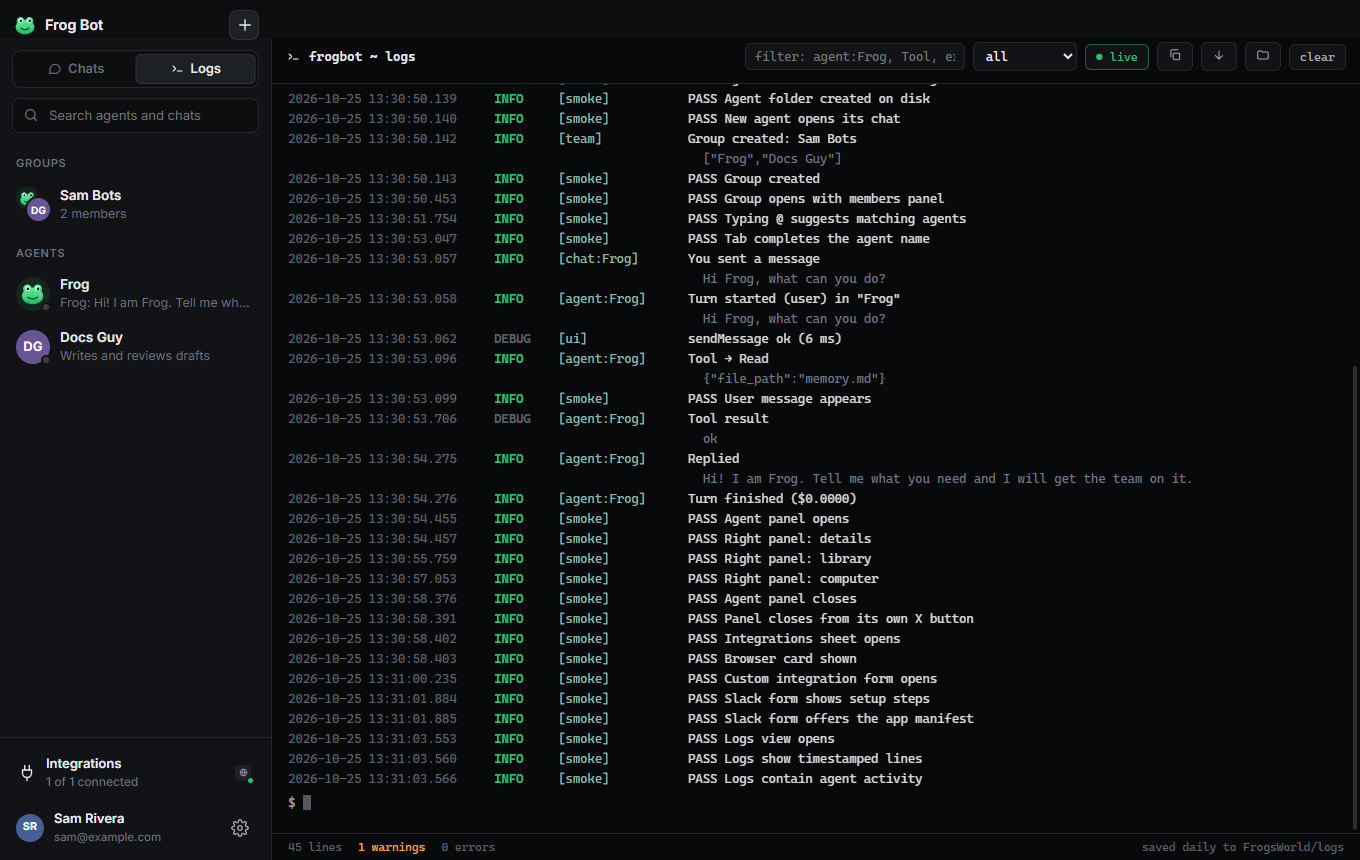
Agents, chats, files, memory and logs live in one folder on your computer. Your key is encrypted on your machine. Agents keep working from the tray while your computer is on.
Questions

What does "local" mean? Does anything leave my computer?

Frog Bot runs on your own computer: the app, your agents, their files, memory, chats, logs and your encrypted key all stay there, in a folder called FrogsWorld. To think, an agent sends its messages to the AI model you chose (Claude or OpenAI), the same as when you chat with them. Agents also reach the apps you connect (like Slack or Notion) and the websites they browse, only for the work you give them.

What do I need?

A Claude API key (console.anthropic.com) or an OpenAI API key (platform.openai.com). Paste it on the first screen. That's it.

Mac says the app “can't be opened” or is “damaged”

Frog Bot is not signed with an Apple certificate yet. Use the one-line installer above, which fixes this automatically. If you downloaded the .zip, open Terminal and run: xattr -cr "/Applications/Frog Bot.app" && codesign --force --deep --sign - "/Applications/Frog Bot.app"

Windows says “Windows protected your PC”

Click More info, then Run anyway. This shows for new apps that are not yet code-signed.

Do I need an account?

Yes, a free one. Create it in the app with your name, email and a password of 6 characters or more. Your agents, chats, files and keys stay on your computer; each account has its own private team.

Where are my files?

Everything lives in a folder called FrogsWorld in your home folder: each agent's files, shared files, logs and settings.

Copied